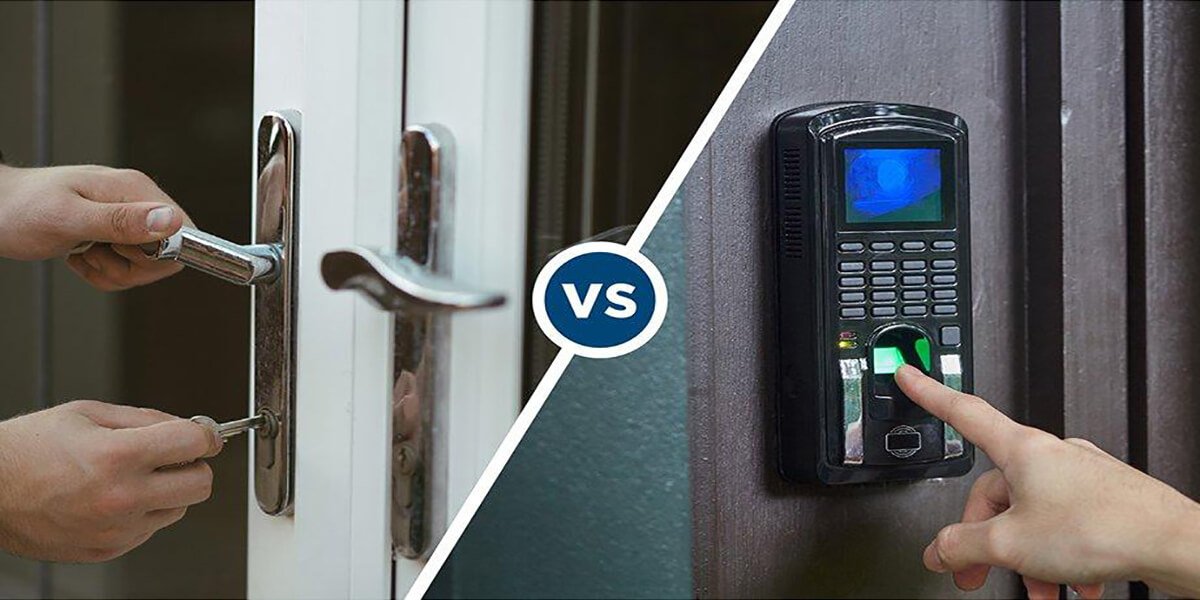
Standing at a hardware store, staring at two rows of locks, one side gleaming with app icons and fingerprint sensors, the other just… solid metal — which one do you actually trust with your front door? That’s the real question behind smart locks vs traditional locks, and it’s not as simple as “new technology wins.” I’ve installed both types in different homes over the years, and honestly, the answer depends more on your specific situation than any marketing brochure will tell you. Let’s get into what actually matters here, not just what sounds impressive on a spec sheet.
What Makes This Comparison Tricky
Quick answer: Neither smart locks vs traditional locks wins outright — smart locks offer convenience and remote access but depend on power and software, while traditional locks are simpler and don’t fail during outages, though they lack monitoring features and can be picked by determined intruders.
Here’s what nobody tells you upfront: a lock is only as good as its weakest point. For a traditional deadbolt, that’s usually the pin mechanism or the door frame it’s mounted on. For a smart lock, it’s often the battery, the app, or a Wi-Fi connection that decides not to cooperate at 11 p.m.
I’ve noticed a lot of the “which is safer” debate online treats this like a tech-versus-tradition argument. It’s not really. It’s a trade-off question — you’re trading one set of vulnerabilities for a different one, not eliminating risk altogether.
How Traditional Locks Actually Perform Against Break-Ins
Traditional locks have been around for over a century for a reason. They work. A solid brass deadbolt with a good strike plate can genuinely resist forced entry for several minutes, which is usually enough to deter an opportunistic burglar who doesn’t want to be seen loitering at your door.
That said, they’re not flawless. Lock picking, though it looks dramatic in movies, isn’t actually that hard to learn for basic pin-tumbler locks. And bump keys — cheap, easy to make — can open a shocking number of standard locks in seconds if the lock hasn’t been upgraded in years.
A few things that genuinely improve traditional lock security:
- Grade 1 deadbolts (ANSI rated) resist drilling and prying far better than cheap Grade 3 hardware
- Longer strike plate screws — I mean 3-inch screws going into the door frame, not the flimsy 1-inch ones that come standard
- Double-cylinder deadbolts for doors with nearby glass panels
- Reinforced door frames, since a weak frame defeats even the best lock
Picture a family in a Jaipur housing society who upgraded from a basic latch to a Grade 1 deadbolt after a break-in attempt two doors down. Nothing flashy, no app, just solid hardware and a reinforced frame. It held. Sometimes the simplest fix is genuinely the right one.
How Smart Locks Handle Home Security Differently
Smart locks approach the problem from a completely different angle — instead of relying purely on mechanical resistance, they add layers like PIN codes, biometric scans, and remote monitoring.
Quick answer: Smart locks let you grant temporary access codes, monitor entry logs remotely, and lock or unlock your door from anywhere via app, but they require reliable power and internet, and can be vulnerable to hacking if not properly secured.
Related guidance: Security Camera Placement Guide for Maximum Coverage
What genuinely impresses me about smart locks:
- You can give a delivery person or house help a temporary code that expires automatically — no more spare keys floating around
- Entry logs let you see exactly when the door was opened, and by whom (assuming everyone uses their own code)
- Remote locking means you’re not that person driving back home wondering if you locked the door
- Auto-lock features mean the door secures itself even if someone forgets
But there’s a flip side, and it’s a real one. Wi-Fi-based smart locks depend entirely on your home network staying up. Power cuts, which — let’s be honest — still happen fairly regularly in a lot of Indian cities, can leave battery-only models stranded until backup batteries or a manual key kick in. Most decent models do include a physical key override, which I’d call non-negotiable when buying one.
Comparing Break-In Resistance: The Real Numbers
This is where it gets interesting, and where most comparison articles just guess instead of citing anything concrete.
According to lock security testing standards, a Grade 1 traditional deadbolt can withstand roughly 10 strikes of force before failing, along with resistance to drilling for a set duration under ANSI/BHMA certification. Smart locks that use the same physical deadbolt mechanism internally (many do — the “smart” part is often just the control layer on top) inherit similar physical resistance.
The real difference shows up in a different kind of attack entirely:
- Traditional locks are vulnerable to picking, bumping, and physical force
- Smart locks add exposure to hacking, signal jamming, and app vulnerabilities
- Both are vulnerable if installed poorly, regardless of how good the lock itself is
I’ll be honest, I’m a little skeptical of claims that smart locks are “hack-proof.” Most reputable brands use encrypted Bluetooth or Z-Wave protocols, which are genuinely hard to break for a random opportunist. But nothing connected to the internet is unbreakable, full stop. If a manufacturer tells you otherwise, that’s marketing, not fact.
Cost Comparison: What You’re Actually Paying For
Money matters here, and the gap between the two options is bigger than people expect going in.
- Basic traditional deadbolt: ₹800-2,500, including installation
- Grade 1 premium deadbolt: ₹3,000-6,000
- Entry-level smart lock: ₹6,000-12,000
- Premium smart lock with biometric access: ₹15,000-30,000+
- Installation and app setup for smart locks: often ₹500-1,500 extra, unless you’re comfortable doing it yourself
There’s also an ongoing cost people forget — batteries. Most smart locks run on AA batteries lasting 6-12 months, and some models need firmware updates that occasionally require a subscription for premium features. That’s not a dealbreaker, but it’s worth budgeting for, not discovering later.
Which Option Fits Different Types of Homes
Not every household needs the same setup, and I’d push back on any blanket recommendation here.
For rental apartments: Traditional locks usually make more sense. Landlords often restrict permanent installations, and you don’t want to leave expensive hardware behind when you move.
For families with kids or elderly parents: Smart locks with keypad entry remove the “lost key” problem entirely — genuinely useful if someone in the house tends to misplace things.
For small business owners: [link to related guide on commercial security systems here] Temporary access codes for staff, without needing to duplicate physical keys every time someone joins or leaves, save real hassle here.
For homes in areas with frequent power cuts: Stick with traditional, or at minimum choose a smart lock with a reliable physical key backup and long battery life.
Has your neighborhood had power outages that lasted more than a day? That’s worth factoring in before committing to a fully digital lock.
Common Mistakes People Make With Either Option
A few patterns I’ve seen repeatedly, across both lock types:
- Not changing default PIN codes on smart locks (shockingly common)
- Installing a great lock on a weak, hollow door frame — the lock isn’t the weak point anymore, the frame is
- Skipping the physical key backup option entirely on smart locks, then getting stuck during a dead battery moment
- Forgetting to update smart lock firmware, leaving known security gaps unpatched
- Assuming any lock, smart or traditional, is a substitute for basic precautions like decent lighting near entry points
None of these mistakes are really about the lock technology itself. They’re about installation and habits, which matters more than people give it credit for.
Frequently Asked Questions
Are smart locks actually more secure than traditional locks? Not automatically. Smart locks add convenience and monitoring, but they’re only as secure as their software and how well they’re set up. A poorly configured smart lock can be less secure than a good traditional deadbolt.
Can smart locks be hacked? Technically, yes, though reputable brands using encrypted protocols make this genuinely difficult for casual attackers. The bigger real-world risk is usually a weak PIN or an outdated app, not sophisticated hacking.
Do smart locks work during a power outage? Most run on battery, so a home power cut usually doesn’t affect them directly. However, if your home Wi-Fi router loses power, remote features may stop working until it’s back, though local unlocking (keypad or key) typically still functions.
Is it worth upgrading from a traditional lock to a smart lock? Depends on your priorities. If you value remote access, guest codes, and entry logs, yes. If you just want dependable, low-maintenance security without an app to manage, a good traditional deadbolt still does the job well.
What’s the lifespan of a smart lock compared to a traditional lock? Traditional deadbolts can last decades with basic upkeep. Smart locks typically last 5-8 years before components like batteries, sensors, or software support start showing their age.
Can a traditional lock be upgraded to be more secure without switching to smart? Absolutely — a Grade 1 ANSI-rated deadbolt, reinforced strike plate, and longer frame screws can significantly improve traditional lock security without any electronics involved at all.
Conclusion
There’s no universal winner in the smart locks vs traditional locks debate — it genuinely comes down to what your home needs and how you actually live. A well-installed traditional deadbolt with a reinforced frame holds up better than people assume, especially against opportunistic break-ins. A quality smart lock, on the other hand, earns its price through convenience and monitoring, provided you don’t skip the physical key backup and actually bother changing that default PIN.
If you’re still unsure which fits your home, start with an honest look at your door frame and your area’s power reliability before spending on hardware. [link to home security checklist here]